
How Internet Works - Demystifying the Technical Details
Last Sunday, I was talking to my mother and she said “Do you even know, how difficult it was to do assignments in my college days. We had to go to the library, look at 10 books. Your generation is so lucky, you just search on the Internet and be done with it but how does it know everything?”. That’s when I realized, despite browsing the internet so much, I never paid attention to the workings of the internet.
I decided to deep-dive - with no background in computer science, to understand the workings of the internet. After a week, I feel confident enough to share my learnings with you, especially those - who want to understand the big picture of “How the Internet Works” and the different parts to it. But, before we begin, there are some key “complicated-looking words” which we have to understand to appreciate the simplicity yet the complex nature of the internet.
1. Hardware
As the name suggests, a piece of hardware is a thing that has a physical existence like a laptop, smartphone, mouse, keyboard, or the internal components of these devices. From a user’s perspective, there are two kinds of hardware. First, the hardware which we use in our daily lives - that are visible to us, like our laptops, smartphones, and printers. Second, the ones we don’t see like the chips inside our phones, servers, or network switches.
In this section, I will present the key hardware which forms the backbone of the internet. For each hardware, I will define the hardware in technical terms and then will take an analogy in our physical surroundings to explain the concept concretely and easily.
-
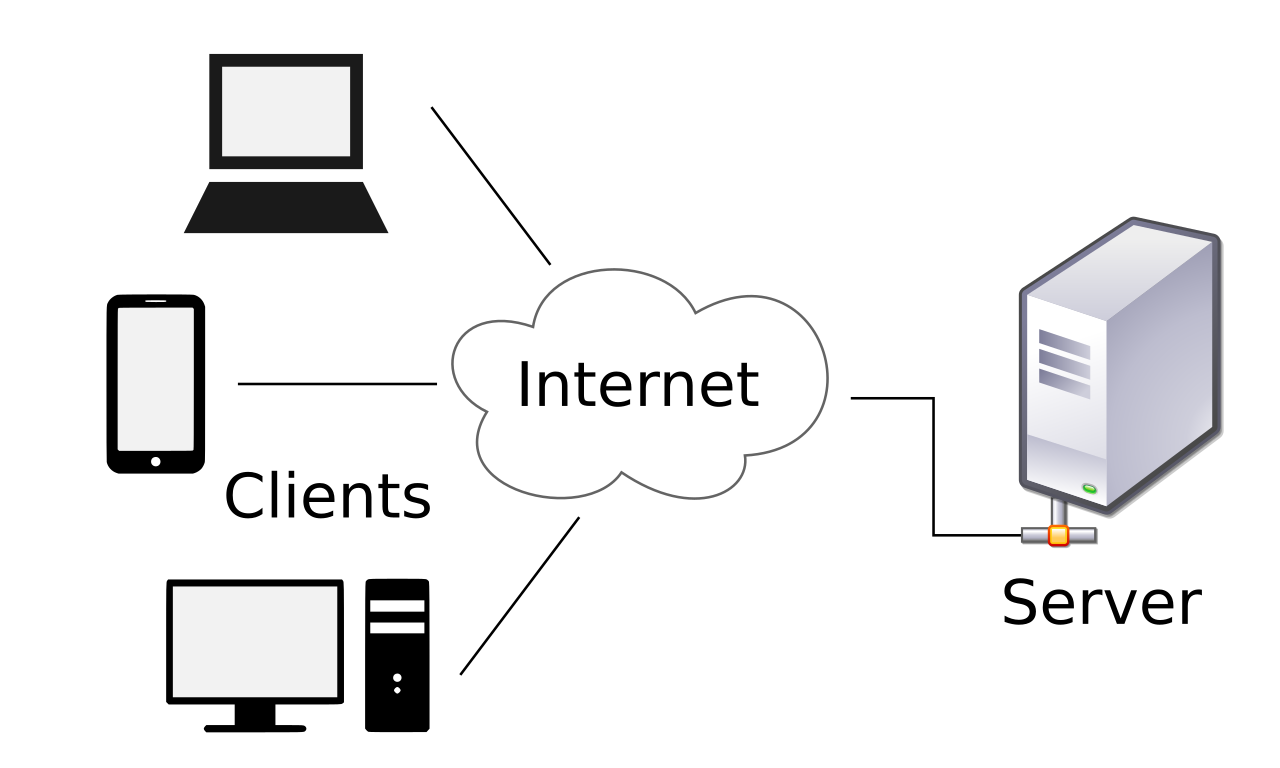
Client: A client is a piece of computer hardware or software that accesses a service made available by a server. The server is often (but not always) on another computer system, in which case the client accesses the service by way of a network (Wikipedia).
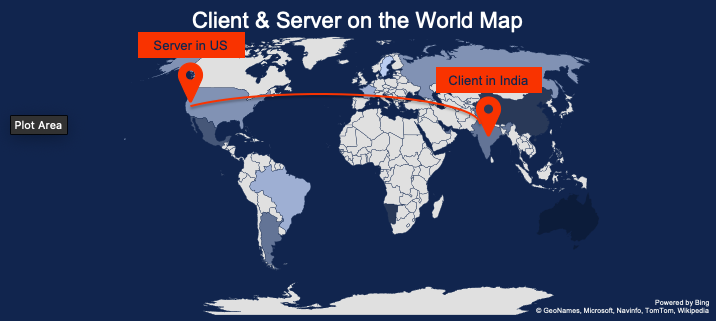
In other words, a client can be thought of as a laptop/smartphone or a web browser like Google Chrome. Sometimes the technical definition can be confusing but for our purpose, we can think of our laptop/smartphone as a client. In our physical world, we can think of a student in India as a client, who wants to understand an esoteric physics concept from his teacher - who is vacationing somewhere in California.
-
Server: A server is a computer program or a device that provides functionality for other programs or devices, called “clients” (Wikipedia). It provides various functionalities, called “services”, such as sharing data or website among multiple clients or performing computation for a single client.
From our above example, we can think of a server as the physics teacher - who is vacationing somewhere in California. She can share her lecture notes with the student (client) to help him understand the concept.
-
DNS Server: This is a powerful computer whose main job is to act as an address directory. When we type in
www.google.comorwww.netflix.cominto web browsers, the DNS server’s responsibility is to convert the name into its IP address so that, our request for visiting these websites can be forwarded to the right server.In our physical world, the DNS server can be thought of as a super-human who can quickly write down the exact house address of any given name, if it exists. An IP address is a unique number like ` 8.8.4.4`, given to each device connected to the internet. It helps in tracking the location of the device and sending the request to it. It works like our physical house address - which is used to deliver a letter by our beloved local postman.
-
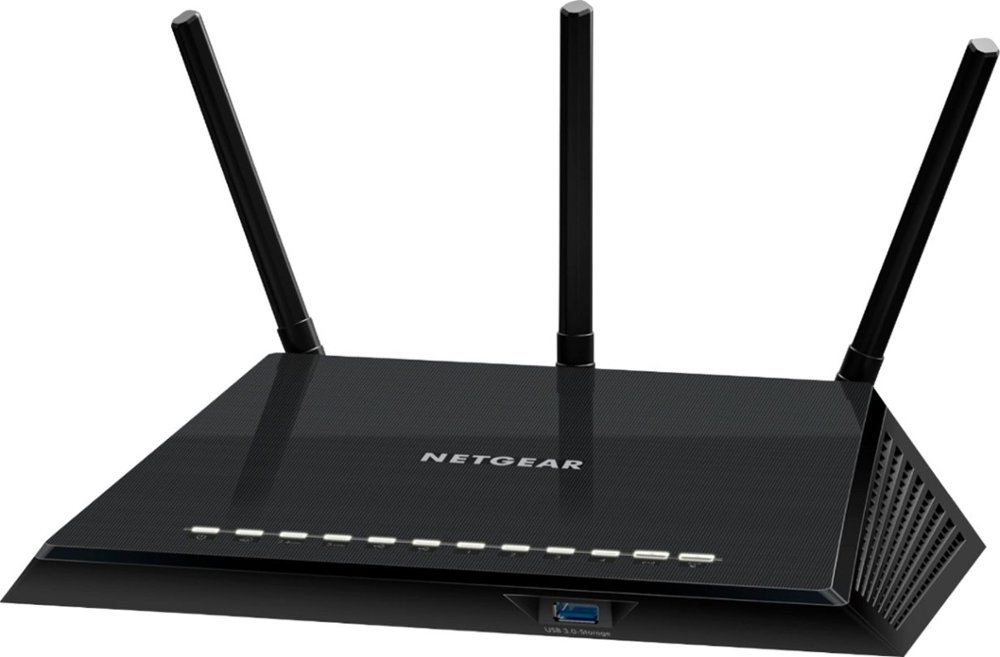
Wireless Router: A wireless router - the one we mostly use in our home to connect to the internet, is a device which acts as a bridge between our laptops/smartphones and the Internet Service Providers (ISP) like ACT in India and Xfinity in the USA. The main purpose of this device is to send and receive radio waves - floating in the air and invisible to us, to and from another device like a laptop/smartphone.
-
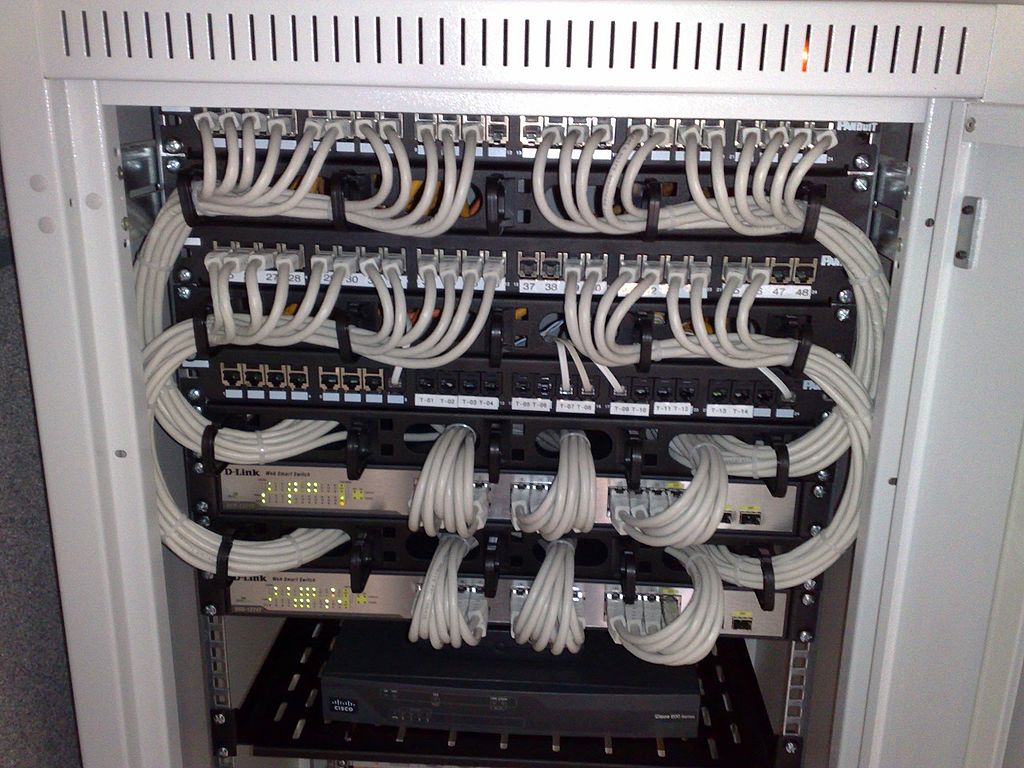
Network Switch: This is a special type of hardware that can connect one or many devices to a network - which can send and receive information to and from other switches or servers. Usually, we don’t see a network switch in our house as it is expensive for the Internet Service Providers to do that. Instead, ISP has one network switch for multiple households to make the network more efficient.
An easy analogy to think about network switch is that they act like the local postman - who picks up letters from a small post office and distributes it to the area he is assigned to and picks up all the letters that need to be sent to other places. The only difference is that the network switch does its job at the speed of light - which means faster than a blink of an eye.
-
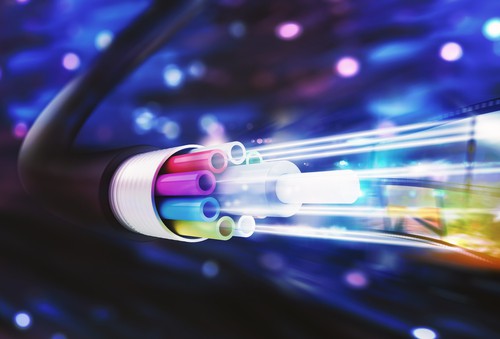
Fibre-Optic Cable: It is a cable that looks like any other cable we see in our house from outside but inside there are optical fibers rather than metallic wires. Optical fibers are flexible, transparent hollow pipes made up of a special type of plastic or glass so that light can travel through them. The primary reason for using an optical fiber over a metallic wire is to reduce the loss of information.
In our analogy, a fiber-optic cable can be thought of as a cycle/motorcycle used by the postman to travel to and from the post-office. A medium that is used to deliver letters from post-office to our homes.
2. Software
A computer software is a set of instructions and data written in a way that decides the behavior of each hardware and the device overall. Generally, we don’t see those instructions explicitly but we deal with software all the time. E.g. the web browser - you are using to view this article, is a software for viewing webpages on the internet. Both software and hardware are needed for computers and architecture to work. They act like a car and gas, you remove one of them, the other is useless. In this section, I will list some of the key concepts to help us understand the way internet works.
-
Web Browser: A browser, like Google Chrome - which you are probably using to view this post, is a specialized software that accesses information provided by the World Wide Web service. When a user types in
https://www.netflix.com/, the browser shows the content of the home webpage of the website.If you remember our dedicated physics student, the web browser can be thought of as his desk and dictionary - which enables him to write a clear and concise letter to the professor asking about his doubts.
-
Webpage and Website: The simplest way to define a webpage is to think it as a page of a physical book and a website is a collection of pages and can be thought of as a full physical copy of the book.
In our case, when we type
https://www.netflix.com/, the content we see is a webpage (sometimes this landing webpage is called the home page of Netflix) and collection of all the pages like a separate page for movies (https://www.netflix.com/browse/genre/34399) and TV shows (https://www.netflix.com/browse/genre/83) is what we call Netflix website.Another way to think about the webpage is the letter written by the professor to the student and website as the lecture notes of the professor on the same topic.
3. Computer Communication
Finally, the last key component required to understand the workings of the internet is to understand the way to authenticate a website, a user, the devices and the encryption and the decryption of the data transferred over the internet.
-
HTTP/HTTPS: HTTPS is a network protocol to allow the transfer of data over the internet. It stands for the Hypertext Transfer Protocol Secure (HTTPS) which is an extension of HTTP and more secure. You must have experienced a browser flashing a warning sign mentioning that the website is not secure. Most likely, it was because the protocol was not HTTPS.
If we think hard and try to see an equivalent of HTTPS in our day to day life, it will be our signatures - that helps in authenticating who we are. We do it in banks, mutual funds, etc.
-
World Wide Web: WWW is a collection of webpages and websites where a user can access that using the internet.
For a long time, I thought the internet and www are the same but unfortunately, it is not. WWW is an application on the internet just like the delivery of letters using postal service. As a postal service can also deliver parcels other than letters, the internet can also provide other services apart from www. Those are file sharing, compute sharing, or email transfer.
Combination of software, hardware and communication protocols makes the internet possible
Now that you are equipped with all the necessary information, let’s try to bring all the components together and learn the true workings of the internet.
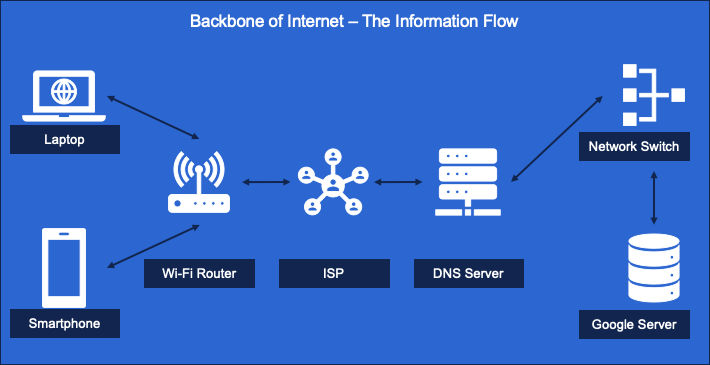
Imagine you are in India and you type in https://www.google.com on your favorite browser like Google Chrome and press enter. Essentially, this means you are requesting the web (www) to show the webpage on google.com by authenticating yourself using https. Once you press enter, your CPU converts this request into radio signals - using your laptop/smartphone’s built-in Wi-Fi sender, and forwards it to your home Wi-Fi router. This router receives the radio signal and sends it forward to your Internet Service Provider like the ACT.
The ISP network sends it forward to the DNS system that converts google.com into its IP address by looking at the address book. Assuming that the IP address (remember, IP address is a computer) is located somewhere California, the signal has to go through from India to California, US (approximately 14000 km).
Now, the DNS system appropriately forwards it to the network switch, which then, based on the traffic on the internet, sends it forward to the country’s main node (You can think of this as the node where all the optical cables come together). Assuming India’s main node in Delhi, the signal goes through under the sea by optical fibers and travels to California, US in just 47 milliseconds (This might be more but for practical purposes, it will still be very less). Below is the picture of all the main optical fibers laid out in the world from the website of Information Geographies.

Once it reaches the shores of California, it fetches the data from the server given by the IP address and comes back in the same way. This whole process takes around 2-3 seconds and in some cases less than that. This whole process happens every time we search for something online, or we order our favorite pairs of sneakers from www.amazon.com or watch our favorite show on www.netflix.com. Finally, two images say a thousand words.
To summarise:
- World Wide Web is an application on the internet. It is not the internet itself.
- HTTPS is a communication protocol to authenticate the request between the client and the server.
- An IP address is a unique number given to each remote computer and is linked to a name like
google.com. - The main job of DNS is to resolve the name into its IP address by acting as an address directory.
References:
- How does the internet cross the ocean?
- Here’s How Wi-Fi Actually Works
- Dial-Up
- Radio
- India’s own DNS